Shift Assign
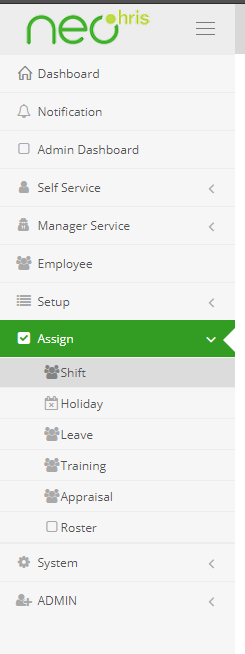
In order to assign shift, you will have to navigate to assign tab, then click on shift option.This fuctionality or this menu option of ASSIGN is provided to ADMIN,HR and managerial employees only. One can search for which shift is currently assigned to an employee by using company,branch,department,designation,position,employee etc filters.
But to assign shift to certain group of employees or to an individual employee:
- Assign
- shift
- new
Shift assign
Following are the steps one needs to follow to assign a shift that is setup previously.
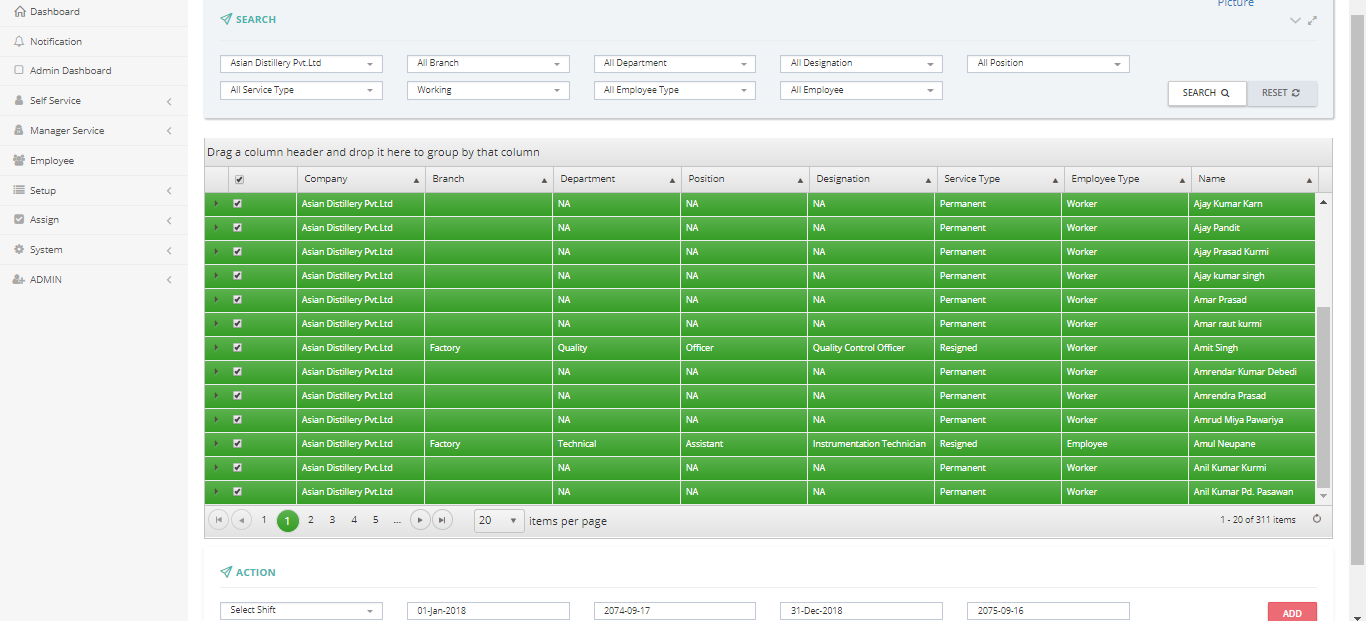
Shift assign form
1.click on +NEW
2.using company,branch,department,designation,position,employee etc filters one can narrow down list of all the employees to a certain group employees or an individual employee.
3.to select particular group or an individual click on the radio button on the left of the list.
4.select shift type,start date and end date located at bottom of the list as per requirement.
5.click on add to add shift.