Shift Setup
In order to setup shift, you will have to navigate to SETUP tab, then click on Shift option.This fuctionality or this menu option of SETUP is provided to ADMIN,HR and managerial employees only.
- SETUP
- SHIFT
- NEW
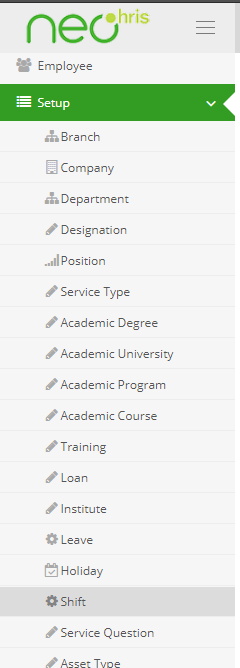
Shift Setup
following are the steps one needs to follow to setup a new shift
NOTE:fields with * on them are compulsory.
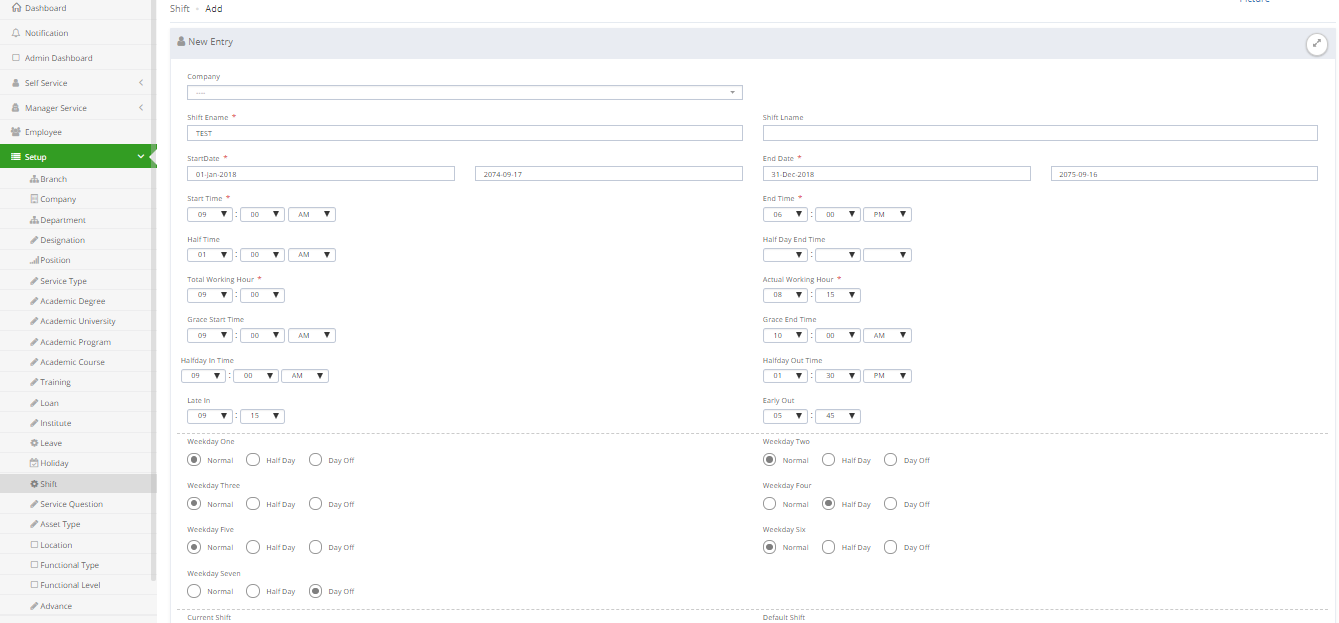
Shift Setup form
1.click on NEW.
2.Select company.
3.Give shift first name and last name.
4.select date from when the shift is going to start and when it is going to end.
5.Fill in the start time of half time(lunch) assigned by company.
6.Fill in the time when the halfday(if there is any provision) ends.
7.fill in the total working hours (from 9 am to 6pm it is 9hrs)
8.fill in the actual working hour after deducting halftime or lunch time and other breaks.
9.within grace start time and grace end time an employee has freedom to come to office,even after normal office starting time.
10.fill in the in time and out time for half days if there are any.
10.fill in the time after which employee is considered to have entered office late according to company’s guidelines.
11.fill in the time before which employee is considered to have left office early according to company’s guidelines.
12.choose the appropriate option for each weekday from one to six i.e. if that day is normal full day,or half day or day off.
13.on enabaling current shift that shift becomes the shift that is being used by company at the moment.
14.on enabling two day shift that shift extends to another day.This kind of shifts are generally used for night shifts.
15.click on submit to add new shift aftre adding remarks if there are any.